

How to Use Business Texting for Architectural Marketing

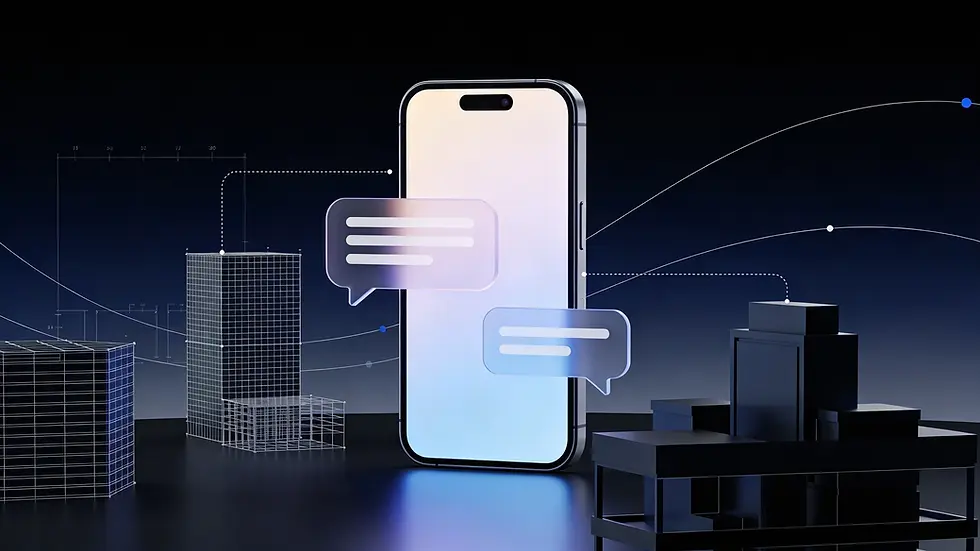
Architectural firms have long relied on email, but it often slows down simple communication. What could be a quick exchange can take days over email. Today, clients are used to fast, mobile-first communication, and texting fits naturally into that behavior. A quick message can confirm meetings, answer questions, or share updates instantly, making the entire process smoother for both sides.
Clients now expect speed and convenience because that is what they experience in other services. Using tools like text reminder software, a text message reminder app, or appointment reminder software helps architects stay responsive without adding extra workload. More importantly, regular and timely texts keep clients engaged, improve attendance for meetings, and create a more connected and professional experience overall.
What is Business Texting in Architecture?
Business texting in architecture simply means using SMS or messaging tools to communicate with clients in a faster and more organized way. Instead of relying only on emails and calls, you use texting to handle things like inquiries, appointment confirmations, reminders, and quick updates.
But this is not casual texting. It is structured communication. Messages are planned, professional, and often automated using tools like text reminder software or a text message reminder app. When combined with appointment reminder software and CRM systems, it helps you stay consistent, avoid missed follow-ups, and keep every client interaction clear and on track.
Key Benefits of Business Texting for Architectural Firms
Communication That Actually Keeps Up
One of the biggest advantages of business texting is speed. You are not waiting hours or days for replies.
Clients can ask a quick question and get an answer right away. You can share small updates without drafting long emails. Whether it is a design tweak, a timeline update, or a quick clarification, texting keeps things moving in real time.
It removes unnecessary delays and keeps both you and your client on the same page.
Fewer No-Shows, Less Chasing
Missed meetings are frustrating. They waste time and slow down projects.
This is where appointment reminder software really helps. Instead of manually reminding every client, you can set up automated messages that go out before consultations or site visits.
Using a text message reminder app, clients get a simple nudge at the right time. It is easy for them to confirm, reschedule, or respond. The result is fewer no-shows and a much smoother schedule.
A Better Experience Without Extra Effort
Clients do not want constant emails. They want clear and timely updates without feeling overwhelmed.
Texting makes communication feel lighter and more personal. A quick update, a reminder, or a follow-up message shows that you are attentive without being intrusive.
With text reminder software, you can even personalize messages based on the project or client. It feels thoughtful, but it does not add extra work for you.
More Conversions Without Being Pushy
Following up with leads is where many firms lose potential clients. Emails get ignored. Calls go unanswered.
Texting gives you a better way to stay in touch. A simple follow-up message after an inquiry or consultation can keep the conversation alive.
It helps you stay present during the decision-making process without coming across as aggressive. And when you are consistently visible and easy to reach, clients are more likely to move forward with you.
Use Cases: Where Texting Fits in the Architectural Workflow
First Impressions Happen Fast
When a new lead reaches out, speed matters more than we think.
Instead of letting inquiries sit in your inbox, a quick text reply can make a strong first impression. It shows you are responsive and easy to work with.
You can also use texting to lock in that first consultation. A simple message like “Hey, want to schedule a quick call this week?” often gets a faster response than email.
Making Scheduling Way Easier
This is where texting really starts to shine.
Using a text message reminder app, you can confirm appointments without back and forth emails. Clients can reply instantly, which saves time for both sides.
And with appointment reminder software, you can automate reminders for consultations and site visits. No more manually chasing people. No more missed meetings.
It just runs in the background.
Quick Updates Without Long Emails
Not every update needs a detailed email.
Sometimes clients just want to know what is happening. A quick text like “Drawings sent for approval” or “Site work starting tomorrow” keeps them informed without overwhelming them.
You can also use texting to flag delays or changes early. It keeps communication transparent and avoids last minute surprises.
Faster Feedback, Faster Decisions
Waiting for feedback can slow down projects more than anything.
Texting makes it easier for clients to respond quickly. You can ask simple questions, get quick approvals, or nudge them for feedback on design changes.
It removes friction. Clients do not have to open emails or go through attachments just to give a quick answer.
Staying Connected Even After the Project Ends
Most firms stop communicating once the project is done. That is a missed opportunity.
You can use texting to follow up, ask for a testimonial, or even share helpful tips related to their space. It keeps the relationship alive.
And when they need help again or know someone who does, you are the first person they think of.
How to Choose the Right Text Reminder Software for Architects
There are a lot of tools out there. And honestly, most of them look the same at first.
But if you are running an architectural firm, you need something that actually fits your workflow. Not just a basic texting tool, but something that helps you stay organized, save time, and communicate better with clients.
Here is what to look for.
The Non-Negotiables
First, let’s talk about the features you should not compromise on.
Automation workflows You should not be sending every message manually. A good text reminder software lets you automate things like appointment reminders, follow-ups, and confirmations. Once set up, it runs on its own.
Integration with your scheduling tools If your texting tool does not connect with your calendar or booking system, it will create more work instead of reducing it. Look for something that syncs easily so reminders and updates go out automatically.
Personalization (without extra effort) Nobody likes generic messages. The tool should let you include client names, project details, or appointment info automatically. It makes your communication feel more thoughtful without taking extra time.
Compliance and consent This one is important. Make sure the software supports opt-in and opt-out features. You want to stay professional and avoid any issues with sending unwanted messages.
Simple Tool or Full System?
Not all tools are built the same.
Basic text reminder software is great if you just want to send quick reminders and updates. It is simple and easy to set up.
But if you want more control, appointment reminder software gives you a full system. You can manage scheduling, automate confirmations, track responses, and handle client communication in one place.
If your projects are getting more complex or your team is growing, the second option usually makes more sense.
Think Ahead, Not Just for Today
It is easy to pick a tool that works for you right now. But what happens when you have more clients, more projects, and a bigger team?
Make sure the software can scale with you.
Can it handle more contacts?
Can your team use it together?
Can you build more advanced workflows later?
Switching tools later is always a headache. It is better to choose something that can grow with your firm from the start.
Best Practices for Business Texting in Architecture
Keep It Simple, But Still Professional
Texting is casual by nature, but that does not mean it should feel sloppy.
Keep your messages clear, polite, and to the point. You do not need long explanations. Just make sure the client understands what you are saying without confusion.
A good rule is this: write like a human, but think like a professional. No slang, no shortcuts that might feel unprofessional. Just clean and simple communication.
Don’t Flood Their Phone
Just because texting is easy does not mean you should overuse it.
Too many messages can get annoying quickly. Clients might start ignoring them, which defeats the whole purpose.
Stick to what actually matters. Reminders, key updates, and important follow-ups. If it does not add value, it probably does not need to be a text.
Make It Feel Personal
This is where texting really stands out.
Instead of sending the same generic message to everyone, add small personal touches. Use the client’s name. Mention their project. Refer to something specific you discussed.
Most text reminder software makes this easy by letting you auto-fill details. It takes the same effort, but feels much more thoughtful on the client’s end.
Automate, But Don’t Lose the Human Touch
Automation is great, until it starts feeling robotic.
Yes, you should use a text message reminder app or appointment reminder software to handle repetitive tasks. Reminders, confirmations, and basic follow-ups can all be automated.
But not everything should be.
Important updates, sensitive conversations, or anything that needs context should still come from you. The goal is to save time, not sound like a machine.
Get Permission and Respect It
Before you start texting clients, make sure they are okay with it.
Always use proper opt-in methods. Let them know what kind of messages they will receive and give them an easy way to opt out if they want to.
Also, be mindful of timing and privacy. Do not send messages too early or too late. And keep your communication relevant to their project.
Common Mistakes to Avoid
Too Casual, Too Fast
Texting feels informal, so it is easy to get carried away.
But remember, this is still business communication. Messages like “Hey buddy” or super short replies can come across as unprofessional, especially with new clients.
Keep it friendly, but stay respectful. You are not chatting with a friend. You are managing a client relationship.
Copy-Paste Messages That Feel Empty
Clients can tell when they are getting a generic message.
If every text looks the same, it starts to feel automated in a bad way. It shows no effort, and people tend to ignore those messages.
Even when you are using text reminder software, add a bit of context. Mention their name, their project, or something specific. Small changes make a big difference.
Not Listening to How Clients Want to Communicate
Not every client prefers texting.
Some may still like emails for updates or calls for important discussions. If you ignore that and keep pushing texts, it can get frustrating for them.
Pay attention to how each client responds. If they are not engaging with texts, adjust your approach. Good communication is about flexibility.
No Real System Behind It
This is a big one.
If you are texting randomly without a plan, things will slip through the cracks. Missed follow-ups, forgotten reminders, inconsistent communication.
That is where having a system matters.
Using a proper text message reminder app or appointment reminder software helps you stay consistent. You can automate routine messages, track conversations, and make sure nothing gets missed.
Why Falkon SMS Works Well for Architectural Firms
There are plenty of texting tools out there, but not all of them are built with real business workflows in mind. That is where Falkon SMS stands out.
It is designed to keep communication simple, organized, and actually useful for teams that deal with clients regularly, like architectural firms.
Built for Real Work, Not Just Messaging
Falkon SMS is not just about sending texts. It helps you manage conversations in a structured way.
You can handle inquiries, send updates, and follow up with clients without things getting messy or scattered across devices. Everything stays in one place, which makes it easier to track communication across projects.
Makes Reminders Effortless
If you are dealing with multiple meetings, site visits, and consultations, reminders can quickly become a headache.
With Falkon SMS, you can automate this using built-in text reminder software features.
Appointment confirmations, follow-ups, and reminders can all be scheduled in advance.
It works like a reliable appointment reminder software without adding extra steps to your day.
Keeps It Personal Without Extra Work
Even though messages can be automated, they do not have to feel robotic.
You can personalize texts using client details, project names, or specific timelines. So every message still feels relevant, even when it is automated through a text message reminder app setup.
Easy to Scale as You Grow
Whether you are a small studio or a growing firm, Falkon SMS can adapt.
You can manage more clients, more conversations, and more workflows without things becoming chaotic. It supports team usage as well, so communication stays consistent even as your team expands.
Conclusion
At the end of the day, business texting is really about making communication easier and more effective. It helps you respond faster, reduce missed appointments, keep clients updated, and stay organized without adding extra workload.
When you start using tools like text reminder software, a text message reminder app, or full appointment reminder software, a lot of the repetitive work gets handled automatically. You spend less time chasing clients and more time focusing on actual project work.
And more importantly, it improves how clients experience working with you. They feel informed, valued, and taken care of throughout the process.
The firms that are already using texting well have a clear advantage. They are easier to reach, quicker to respond, and more convenient to work with. And in a competitive industry like architecture, that can make a real difference.
If you are not using business texting yet, this is a good time to start. It is a small shift, but it can have a big impact on how your firm communicates and grows.
Simplify Client Communication
Use business texting to send quick updates, automate reminders, and stay connected with clients effortlessly.


